How do I delete an event?
Print
Modified on: Mon, 15 Aug, 2016 at 4:07 PM
- Click Planning>Weekly Planner from the menu bar at the top of the page.
- Click on the event you wish to edit, which opens the Edit Event pop-up.
- Select Delete at the bottom of the pop-up.
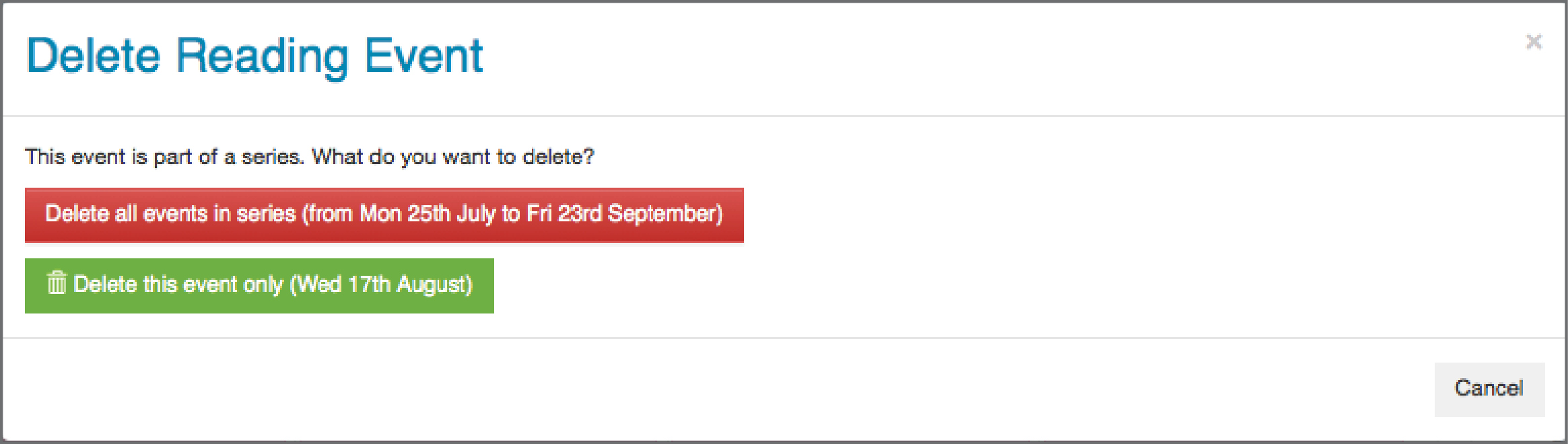
- Click Delete all events in series if you wish to delete every event in this series.
- Click Delete this event only if you wish to delete only the day you selected.
Did you find it helpful?
Yes
No
Send feedback Sorry we couldn't be helpful. Help us improve this article with your feedback.
