
Customers usually like to hold on to historic plans - if they move schools and set up a new account then the easiest way to transfer these plans is to copy them across.
Please note only unit and inquiry plans can be copied over. You will also need to be signed into your admin account to view these settings.
1. Go to settings at the top of the page and search for the school the customer has left.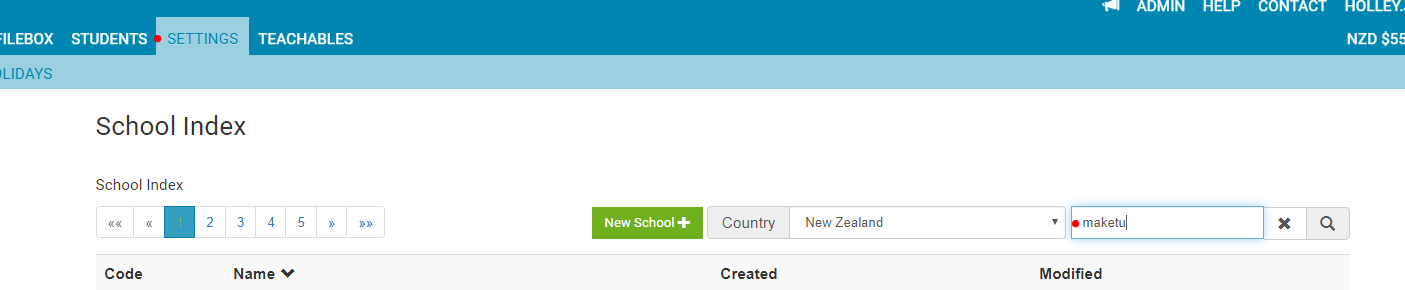
2. In the next page that loads scroll down until you find the section 'copy plans' click on this to load the next page.
3. You will now see a list of all the unit and inquiry plans created for this school. Type in the new email address for the customer and tick the plans that belong to them.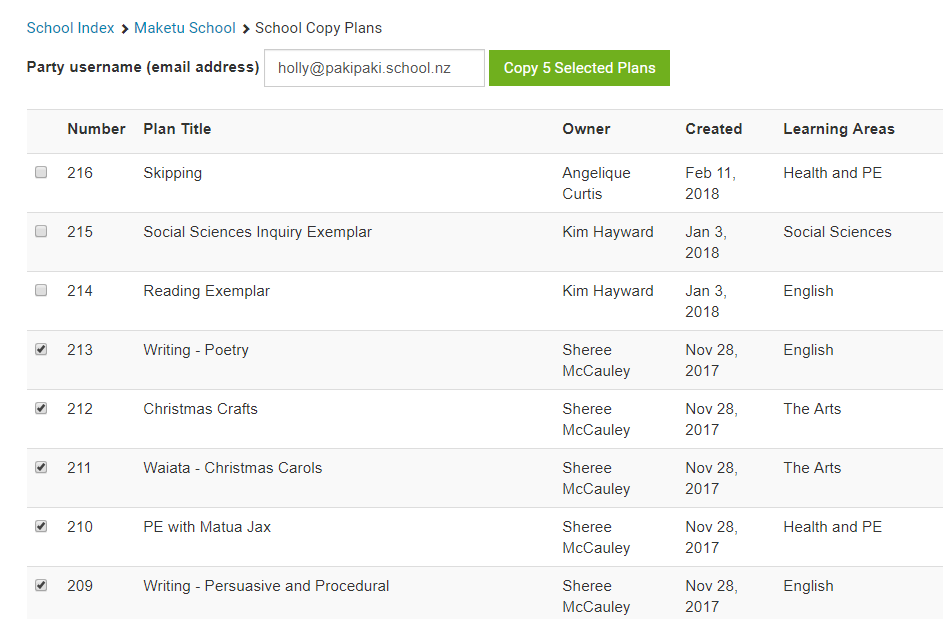
4. Click the green button 'copy 5 selected plans' to start the copy process. This process may take a couple of minutes so please leave the page open until the copying is complete. You will then see a 'tick' button next to each plan.