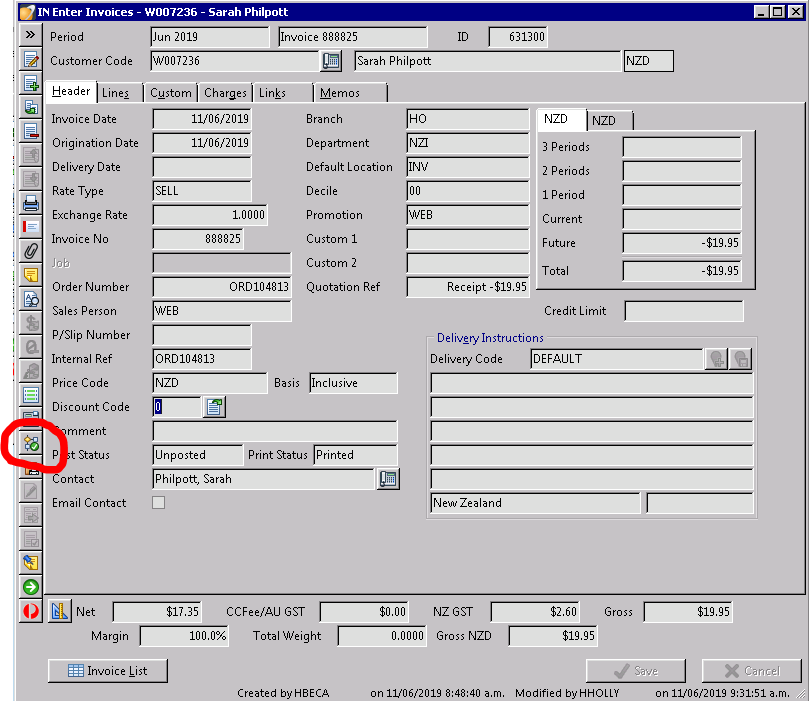
Monthly iUgo invoices (8001) are automatically renewed on the website but need to be printed and posted in Accredo manually - we also email the customer a 'receipt of payment'.
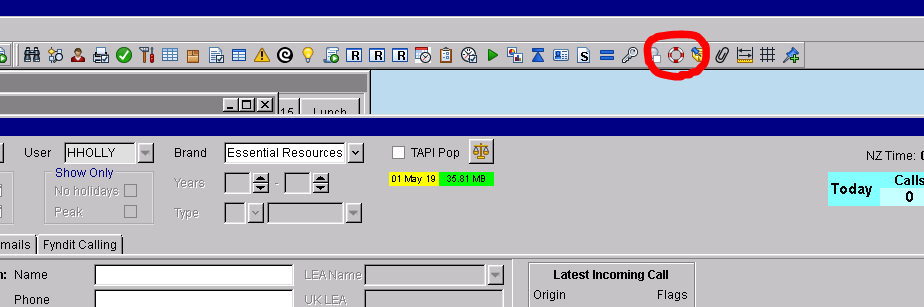
1. At the top of your Accredo screen look for the red and white circle icon.
2. In the next pop-up that loads you will see a list of invoices.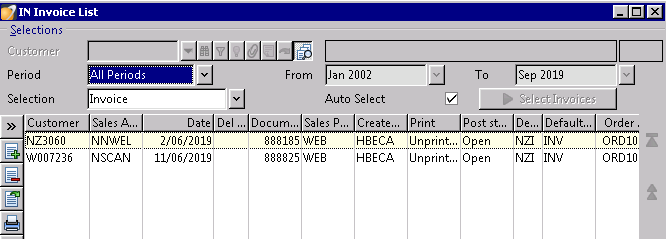
3. Double click on an invoice to open it up, you can also see if payment has been made when it indicates -$ amounts.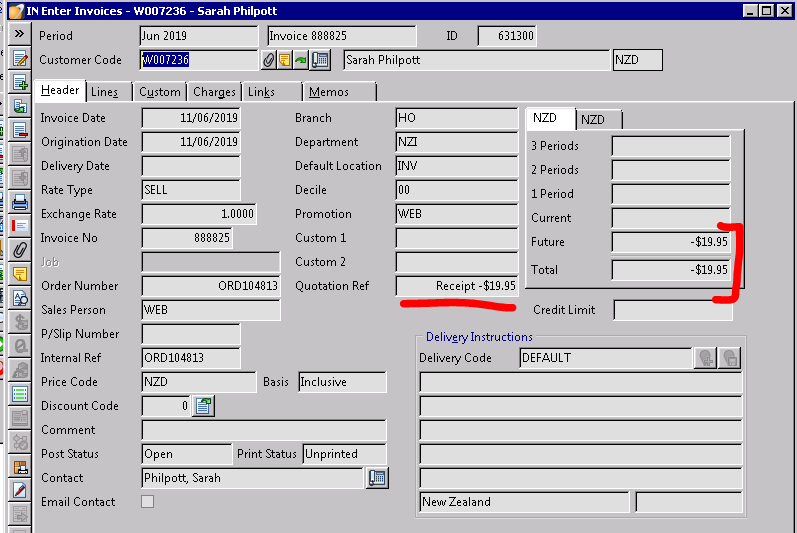
4. Click on the edit icon to change the post status from 'Open' to 'Unposted'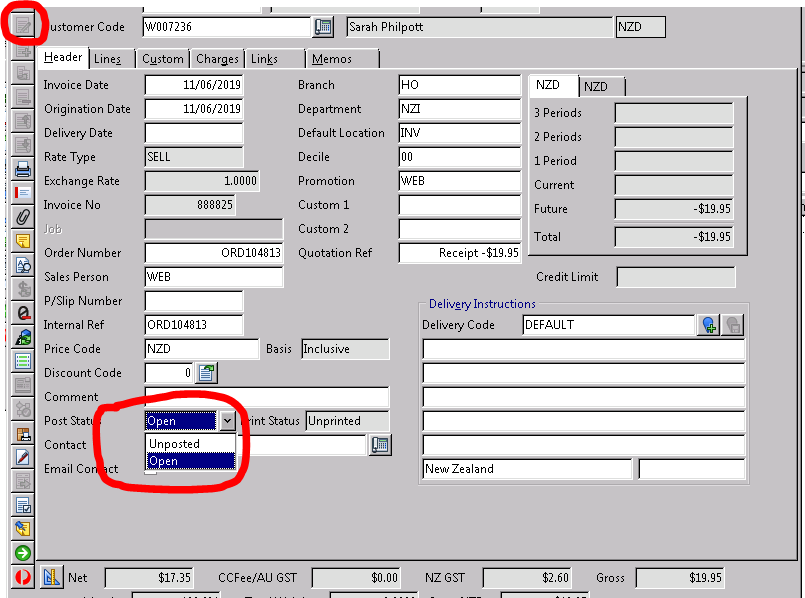
5. Then click on the printer icon and select mail message in the destination option. Then click 'Run'.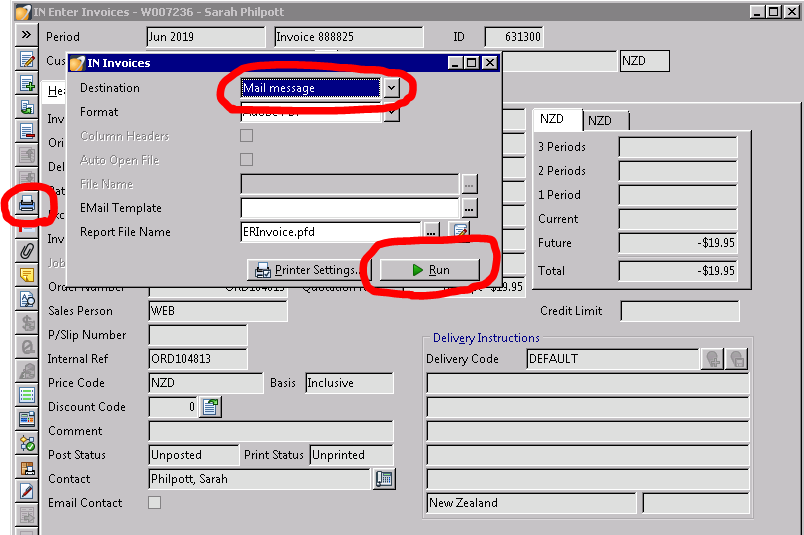
6. Enter in the customers email, edit the subject to say iUgo instead of Essential Resources. Then click on the folder icon to choose a default email message (this one is 'receipt of payment'). Then click 'Send'.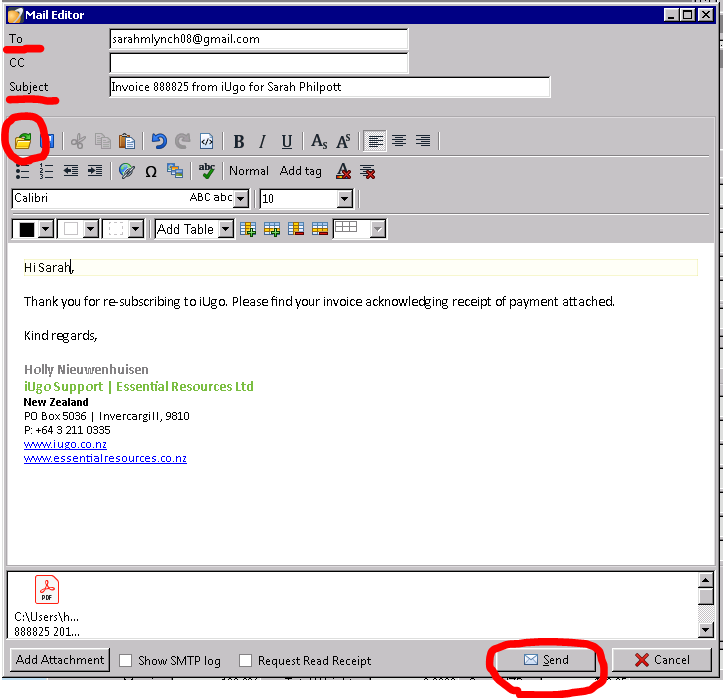
7. The final step is to post the invoice.