1. Login as an admin user
2. Search for the school that the plan has been deleted from
3.Scroll down the page to deleted plans and click on 'view or restore deleted plans'.

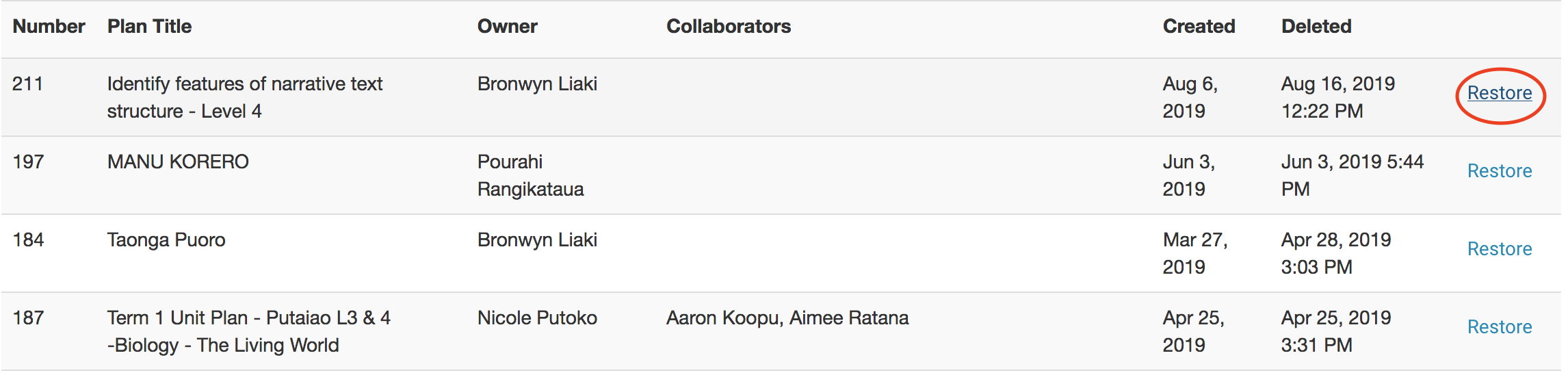
4. Choose the plan you would like to restore.

Modified on: Mon, 19 Aug, 2019 at 11:18 AM
1. Login as an admin user
2. Search for the school that the plan has been deleted from
3.Scroll down the page to deleted plans and click on 'view or restore deleted plans'.
4. Choose the plan you would like to restore.
Did you find it helpful? Yes No
Send feedback