
Creating Freebie
To show on ER (NZ & AU) sites
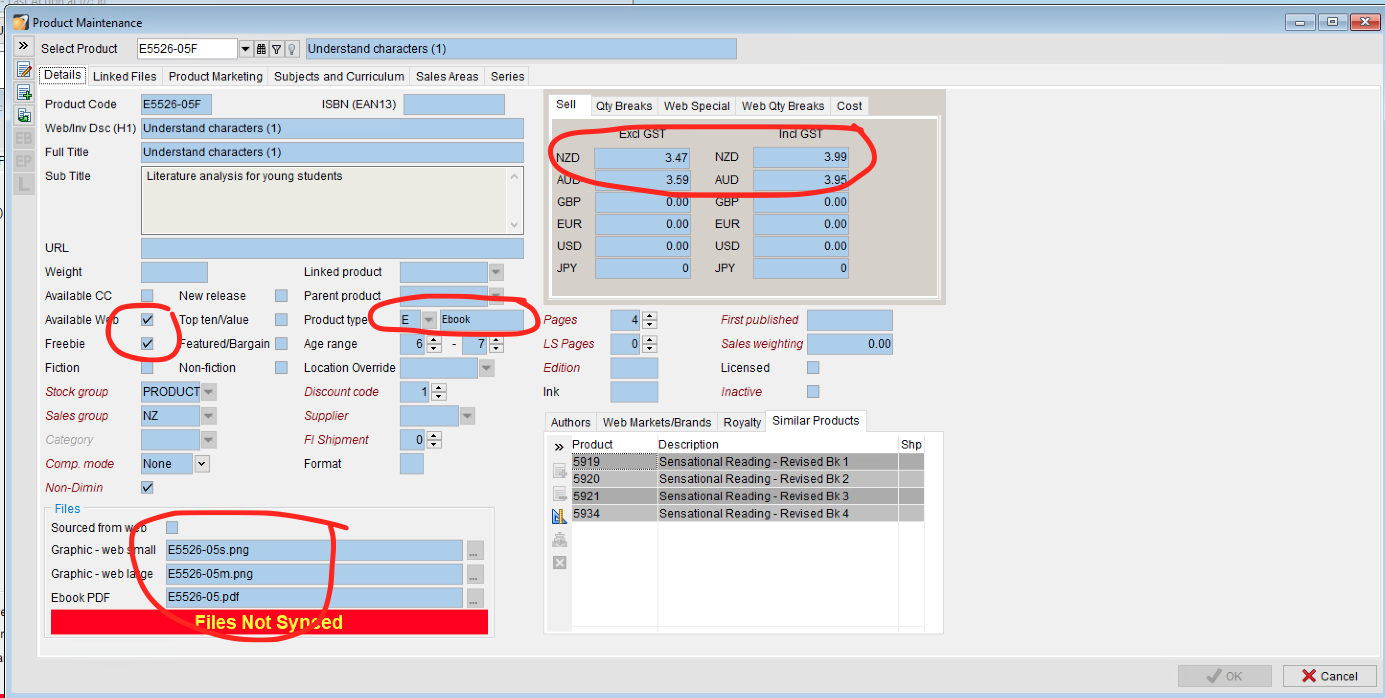
All products must have a price to show in a market
Have AVAILABLE WEB ticked
Need graphics (small and large)
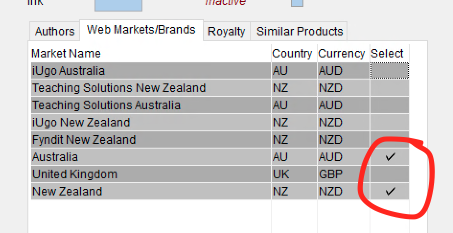
Need MARKETS
Need SALES AREAS
Need SUBJECTS/CURRICULUM SECTIONS
- Ticking FREEBIE makes the product price free and shows on the site like
3.950.00 - If sharing on ER sites create PRODUCT TYPE as E (Ebook) rather than U (Eunit), otherwise the other Eunits will bleed through to ER site even though they are not linked to the market. You will need to create a new product code linked to the same pdf and graphic files to do this.
- QTY BREAKS affect accredo pricing
- WEB SPECIAL and WEB QTY BREAKS affect web pricing
- AUTHOR and ROYALTY information need completed as well
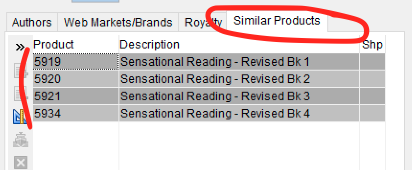
Add thoughtful similar products trying to upsell.
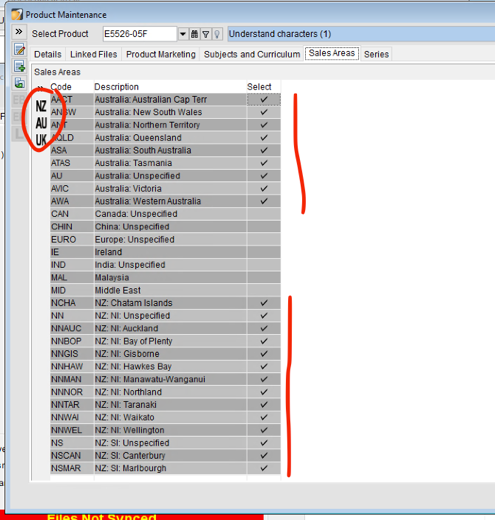
Select SALES AREAS you wish this to show in.
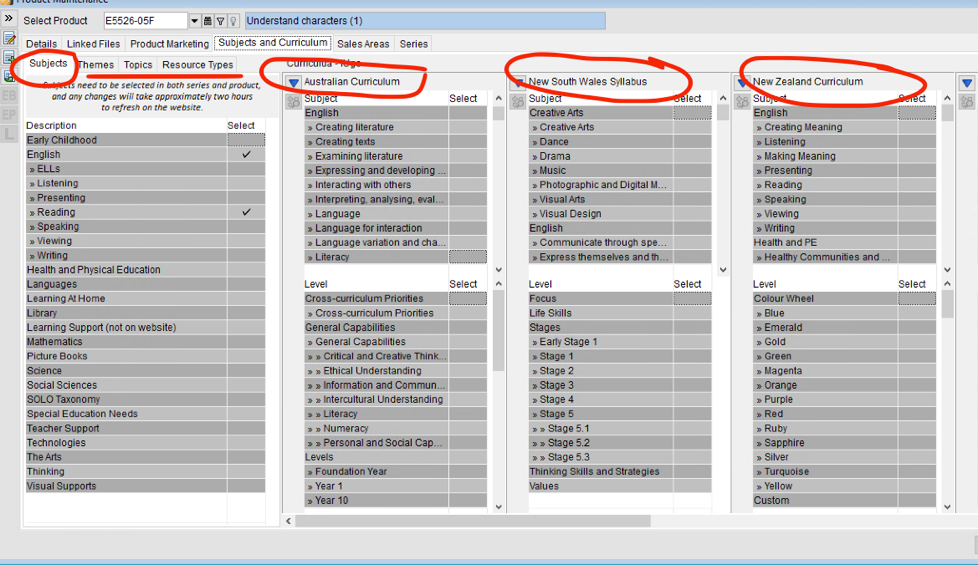
Add Subject for ER sites, Curriculums for each of the curriculums for products to show.
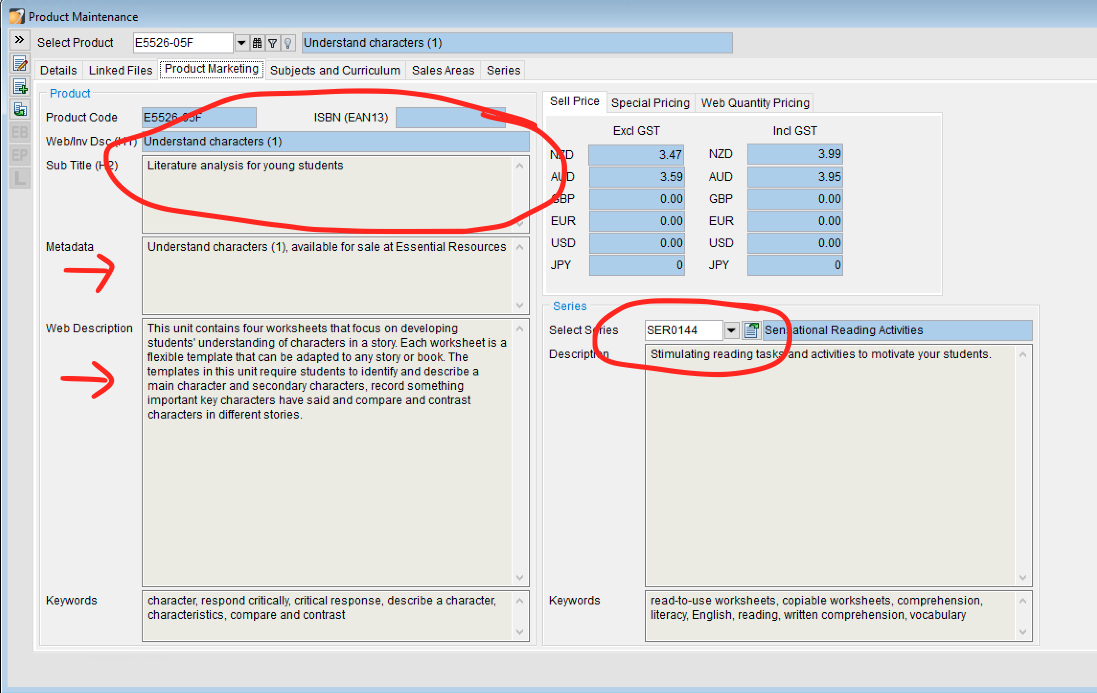
Check/add METADATA, H1 Sub title, Web description
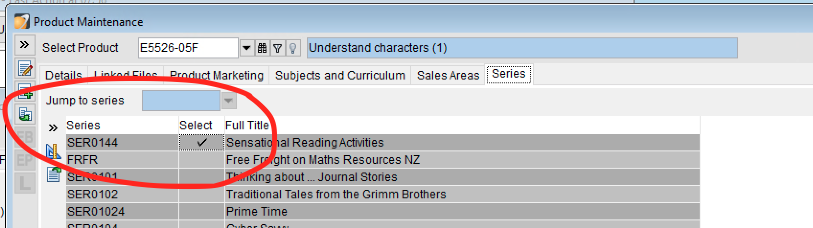
Link to the parent SERIES