
1. Click on admin at the top right hand corner and select manage users.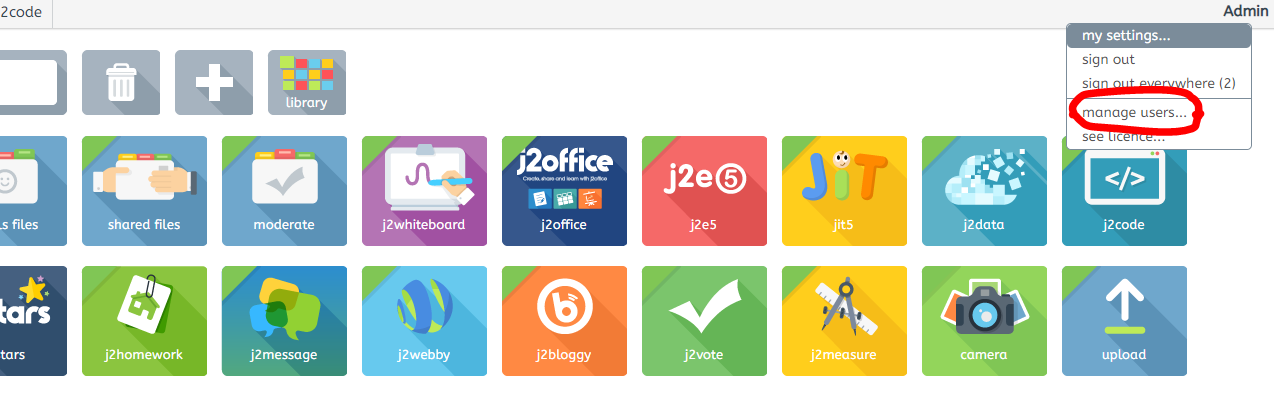
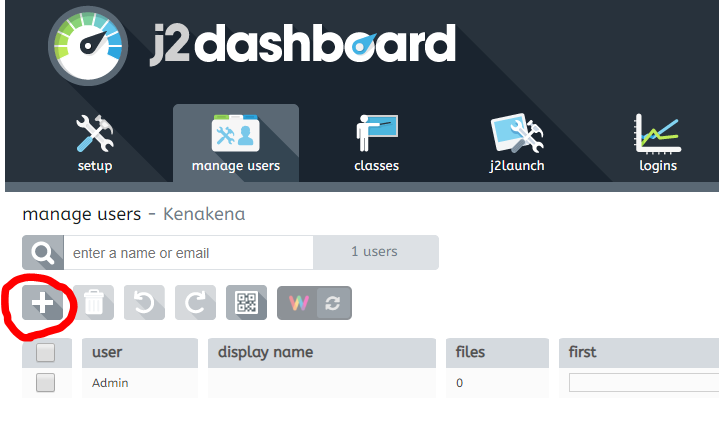
2. In the J2dashboard click on the plus icon to create a new user.
3. You will need to enter the user name - make this the first name of the teacher - if there are two teachers with the same name in the school add the initial of their surname. The password should be j2e. A key point to remember is to list the first teacher as the admin when you select type. 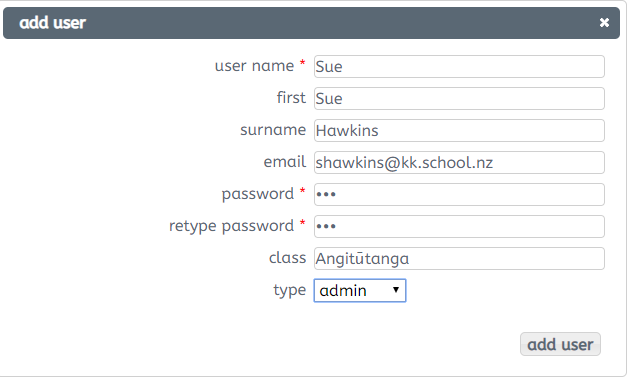
4. Then click add user and a messagebox will show saying 'user added'.