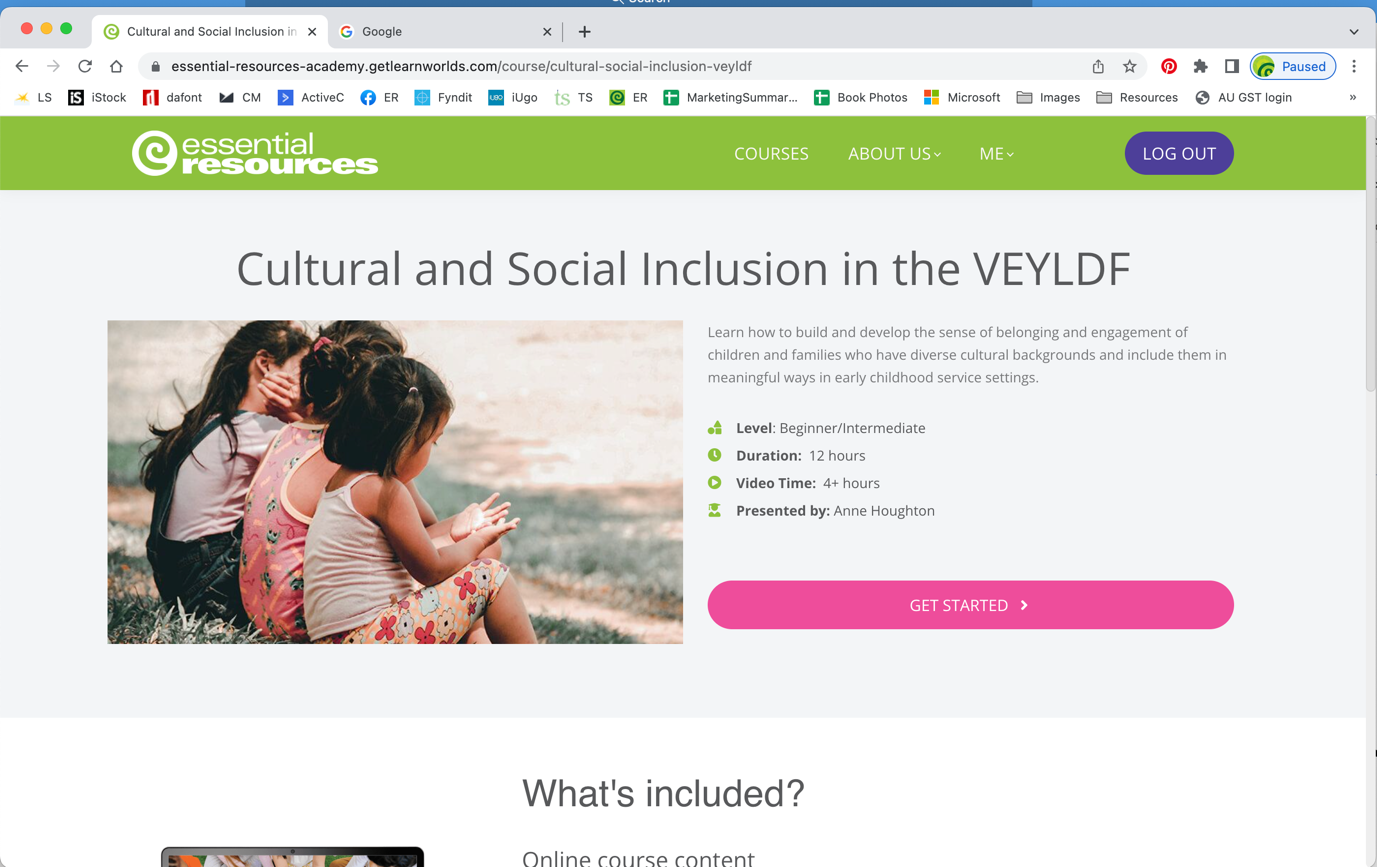
Nicola:
"We are still having issues with customers who are having trouble logging in.
If a customer rings with issues logging in their email security is probably blocking Essential Resources Academy (via LearnWorlds).
If you have them on the line it is quicker to sort if you can reset their password for them whilst they are on the line.
I have made each of you a administrator in LearnWorlds so if you follow the attached instructions you will be able to sort it"
Course password issues
If a customer rings with issues logging in their email security is probably blocking our emails from Essential Resources Academy (via LearnWorlds)
If you have them on the line you can reset their password for them.
Login, click on the 3rd icon/All Users
Type in the beginning of their first name or email.
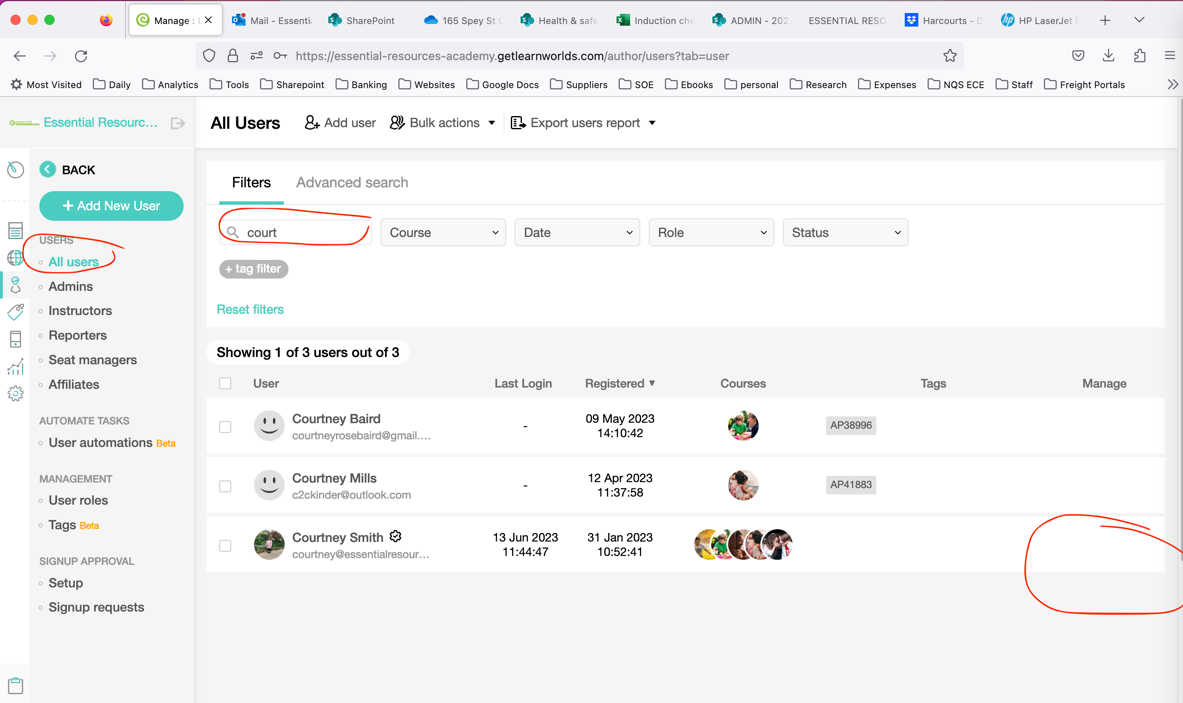
Then click on the 3 dots/Update Password
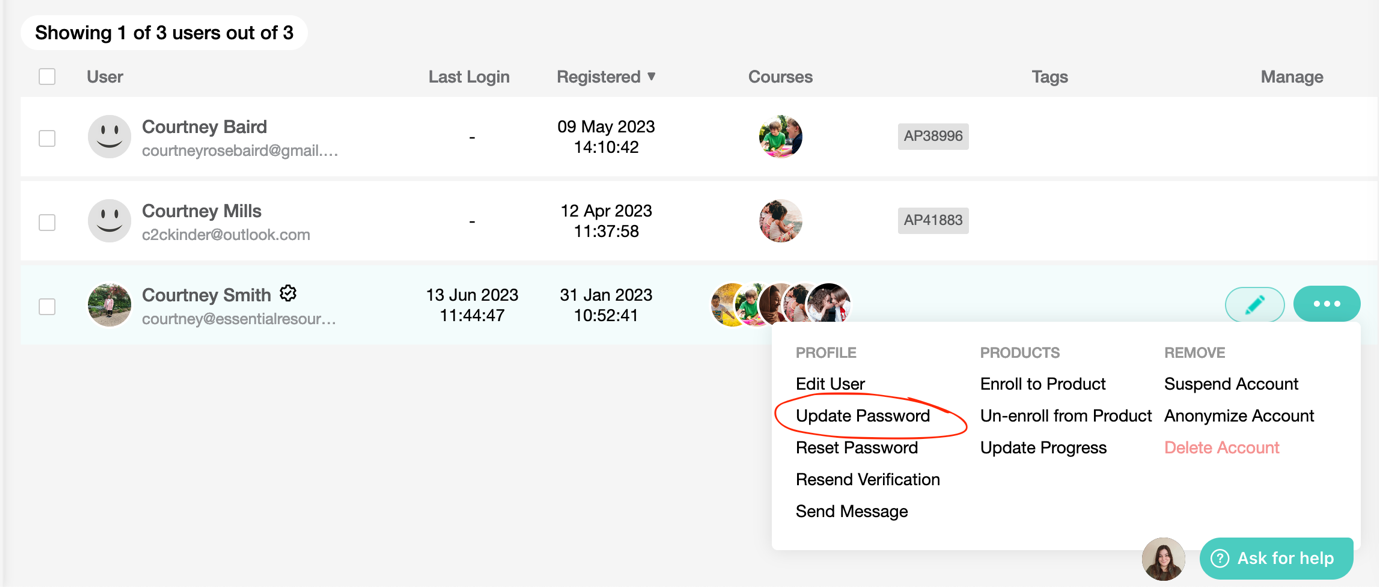
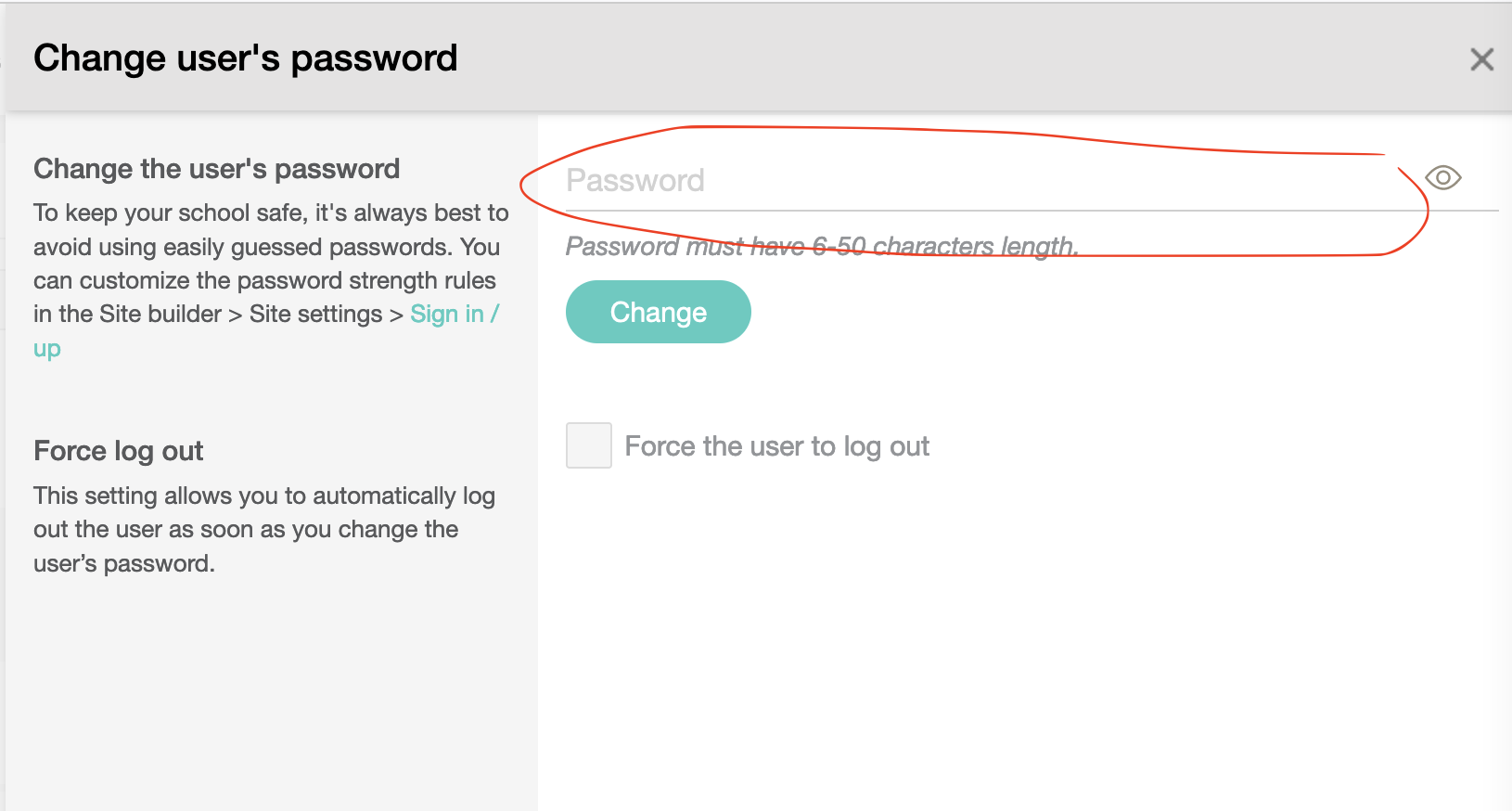
Add a simple password that you can give them over the phone, ie their first name 2023, ie Courtney2023, and save.
Wait for them to login
Once their password is set and they are logged in, then click on Go To Profile
Then click on Get Started
See instructions and screen shots of what they will see below
Message I send out if emailing:
Alternatively, they can use the below link they can gain access to the course: ( I delete the other courses)
https://essential-resources-academy.getlearnworlds.com/course/cultural-social-inclusion-veyldf
https://essential-resources-academy.getlearnworlds.com/course/social-emotional-wellbeing-veyldf
https://essential-resources-academy.getlearnworlds.com/course/communication-language-literacy-veyldf
Click on LOGIN, add their email address (copy of the email address you provided is attached) and click reset password.
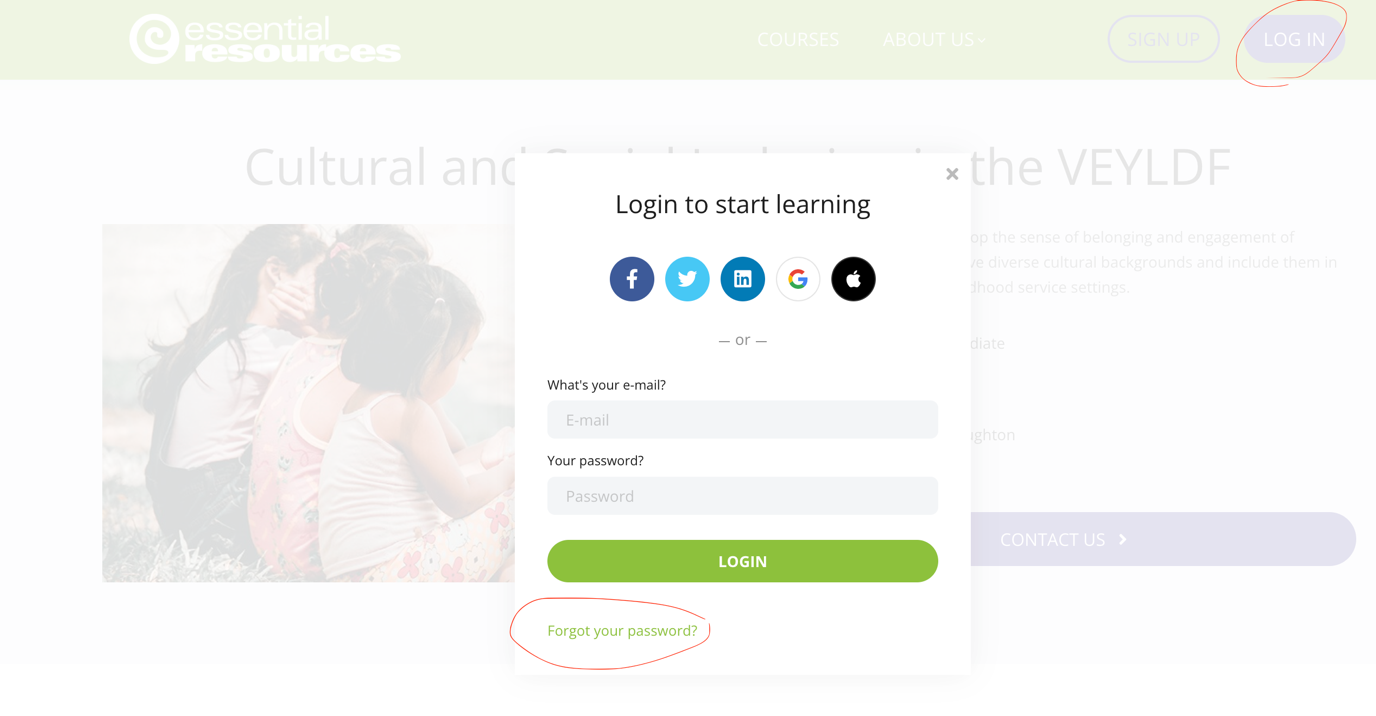
Once their password is set and they are logged in, then click on Go To Profile
Then click on Get Started