
- Login to essentialresources.co.nz/wp-admin as nicola@essentialresources.co.nz
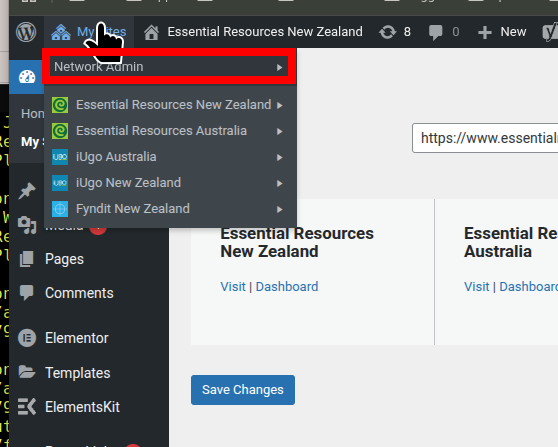
- Go to the Network Admin and take Dashboard
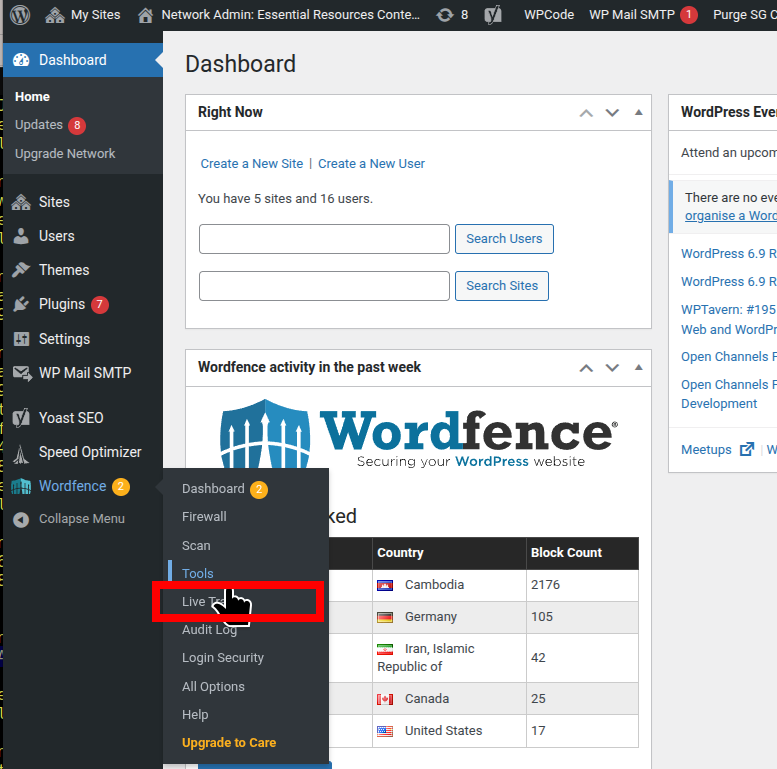
- Go to Wordfence Live Traffic
- Scroll down a little until you see the Live traffic of security issues. Pick one that looks like a problem in the list - usually repeated attempts and check with the eye what that have been doing. Then if you think that they need a permanent block on the IP, then Block IP
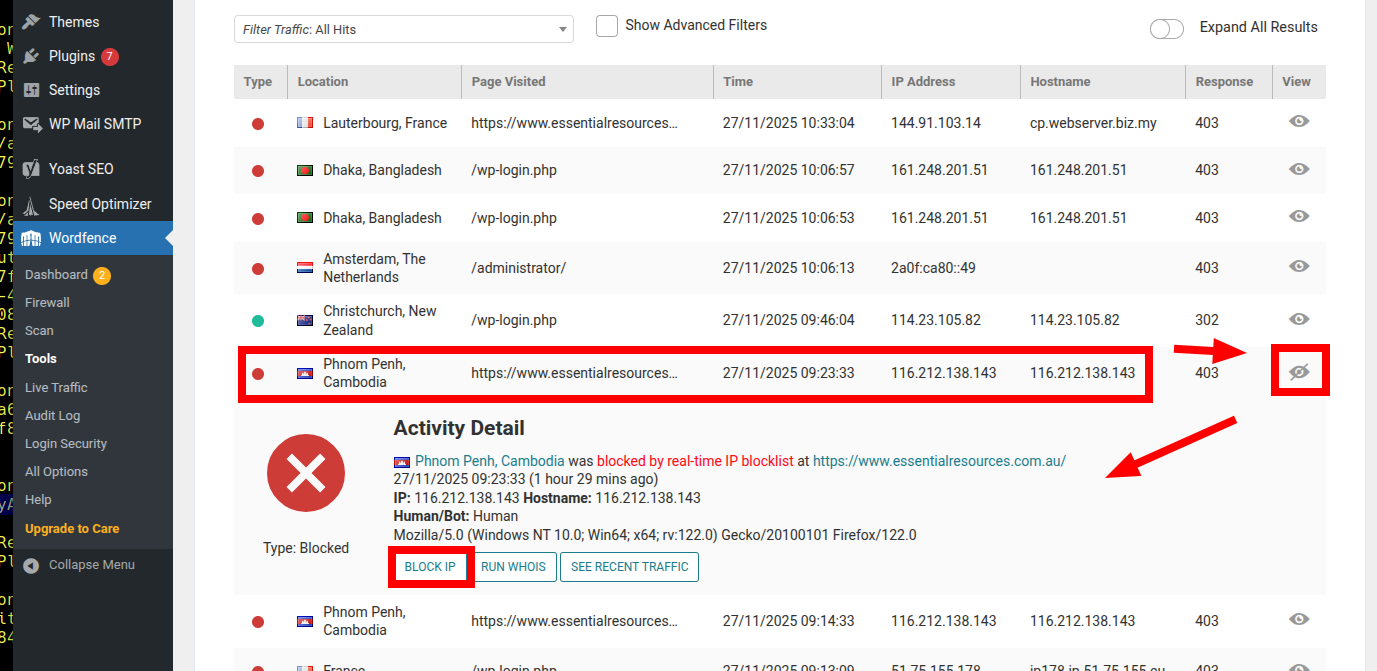 This will block future attempts from that IP coming through the wordpress front-end. It works across all of our wordprress sites, including esssentialresources.*, iugo.*, and fyndit.*.
These are other ways to block whole countries, to block by IP blocks, block by signature, block by being a known bot. This one was assessed as being 'Human', so it is probably a script bunny running a program.
View 24 hours are showing this on the wordfence
https://www.essentialresources.co.nz/wp-admin/network/admin.php?page=WordfenceWAF